What size should a QR code be?
The 10:1 rule, minimum print sizes for business cards, posters and billboards, and the printing mistakes that stop a code scanning.
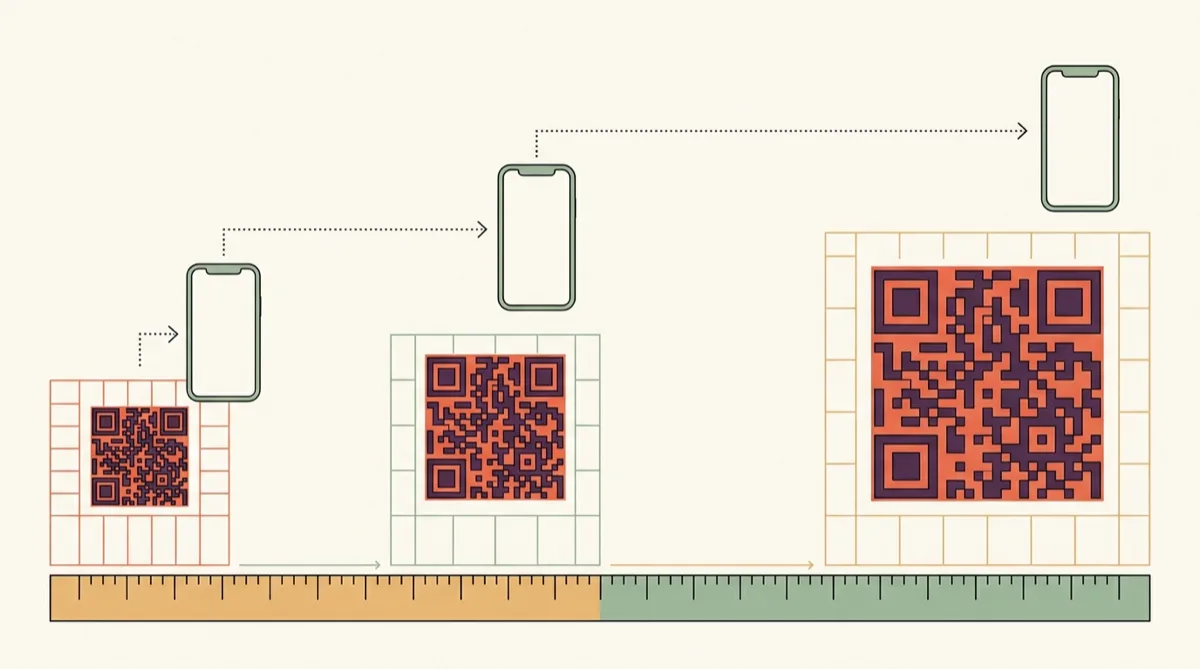
A QR code fails for boring reasons far more often than technical ones. Too small, too little contrast, or folded down the middle. Size is the one people get wrong most.
The 10:1 rule
A code should be roughly one tenth the distance it will be scanned from. Read at one metre, print it ten centimetres across. Read at ten metres, you need a metre.
| Where it goes | Scan distance | Minimum size |
|---|---|---|
| Business card | 15–20 cm | 2 cm |
| Restaurant table card | 30 cm | 3 cm |
| Product packaging | 20–30 cm | 2–3 cm |
| A4 poster | 1 m | 10 cm |
| Shop window | 2 m | 20 cm |
| Billboard | 10 m+ | 1 m+ |
The quiet zone
Codes need clear space around them — about four modules' worth, where a module is one small square. Scanners use that margin to find the code's edges. Crop it tight against other artwork and scanning gets unreliable, especially in poor light.
Contrast and colour
- Dark code on a light background. The reverse works on some scanners and fails on others — not worth the risk in print.
- Avoid low-contrast pairings like grey on white or navy on black.
- Coloured codes are fine if the contrast ratio stays high. Test before a print run.
- Never print a code across a fold, a seam, or a curved edge.
Print finish matters more than you would think
Gloss lamination in direct sunlight creates glare that stops cameras focusing. Matte is safer for anything outdoors or under bright lighting. On fabric or textured surfaces, print larger — the texture breaks up module edges.
If you are adding a logo
A logo covers modules. Error correction can rebuild them, but only up to a limit — around 30% of the code at the highest level. Past that it fails silently: the code looks fine and simply does not read.
Keep a logo under roughly 30% of the code's width, and always test the actual printed piece rather than the screen preview.
Common questions
- What is the minimum size for a QR code?
- About 2 cm square for close scanning, such as a business card. Below that, module edges blur in print and many phones struggle.
- Why won't my QR code scan?
- In order of likelihood: too small for the distance, not enough contrast, no quiet zone around it, glare from a glossy finish, or a logo covering too much of the pattern.
- Can QR codes be any colour?
- Yes, as long as contrast stays strong and the code is darker than its background. Test on the real material — screen contrast and print contrast differ.